
Reminders
Turn on reminders and TenderDose shows a note in the corner of the screen when a refill, a visit or a vaccine is due.
TenderDose keeps everything about everyone's medicines in one place, on your computer.
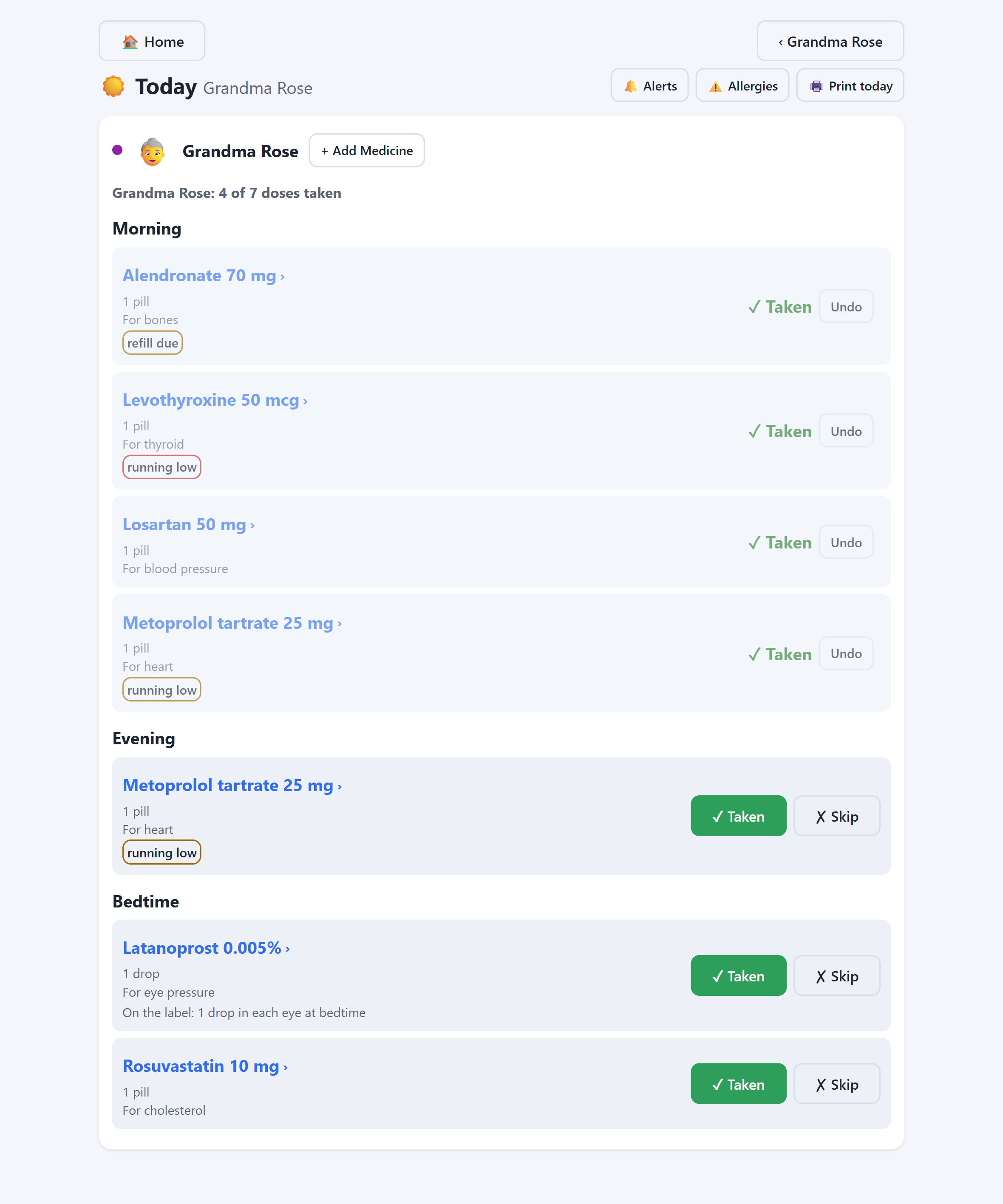
Today
The Today page sorts each person's medicines into morning, noon, evening and bedtime. Tick one when it's taken. Made a mistake? Press Undo.
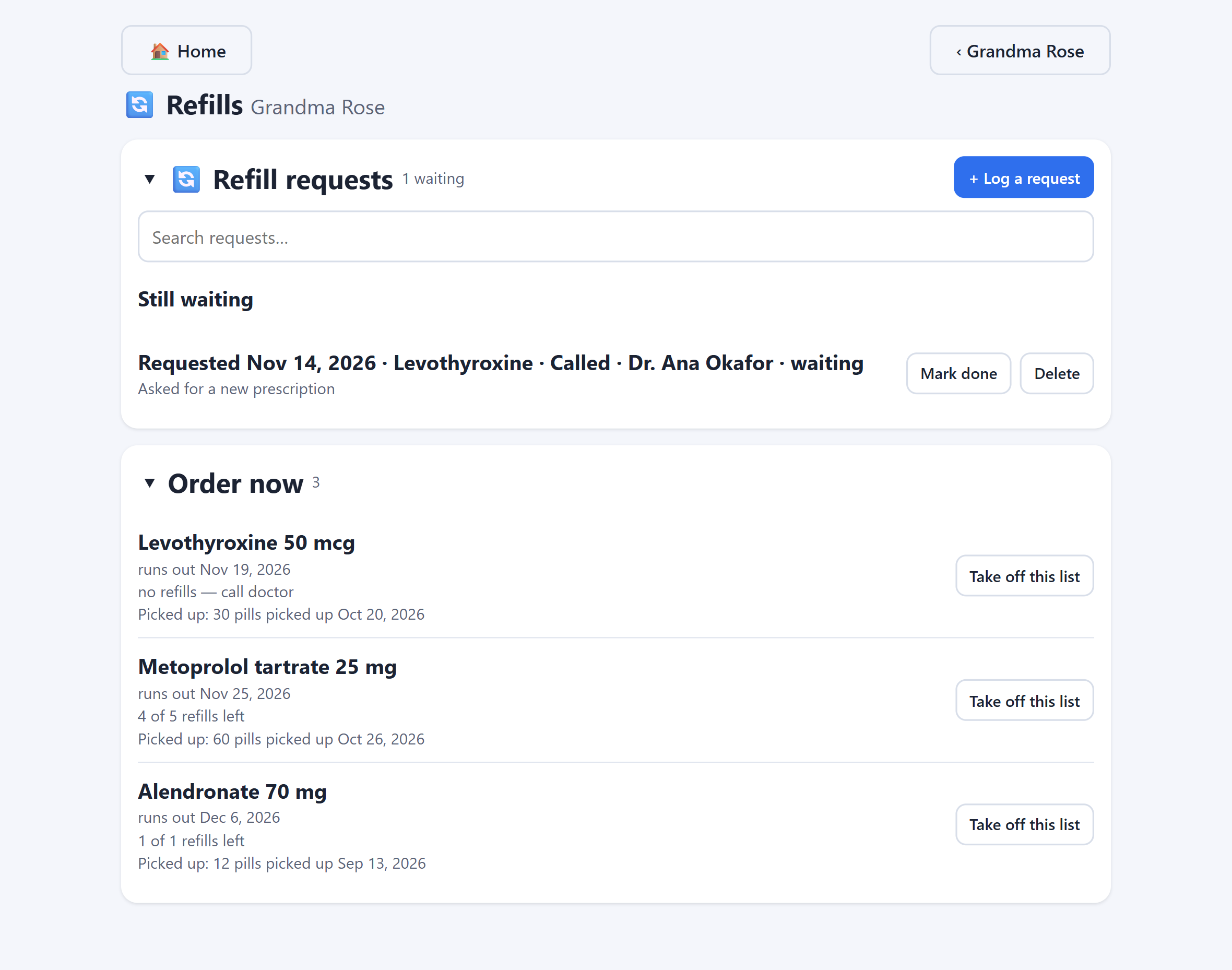
Refills
TenderDose counts the pills left in each bottle and works out the day it will run out. The Refills page shows what to order now, and what can wait.
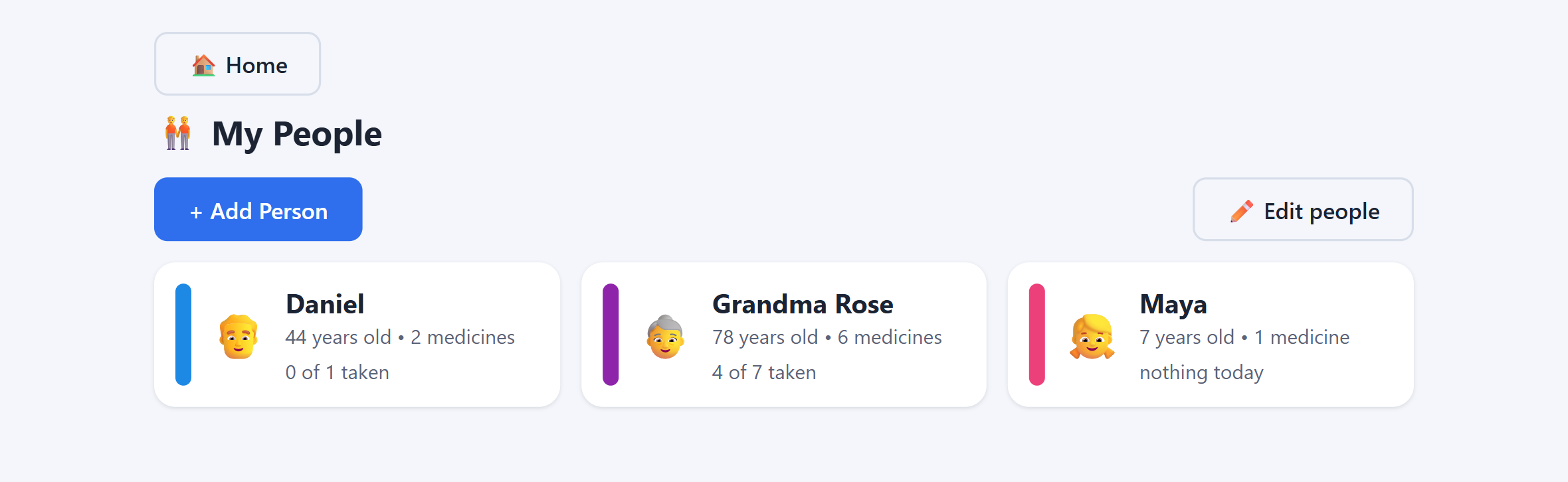
Your family
Start by choosing whose medicines to look at. Each person shows how many of today's doses are done.
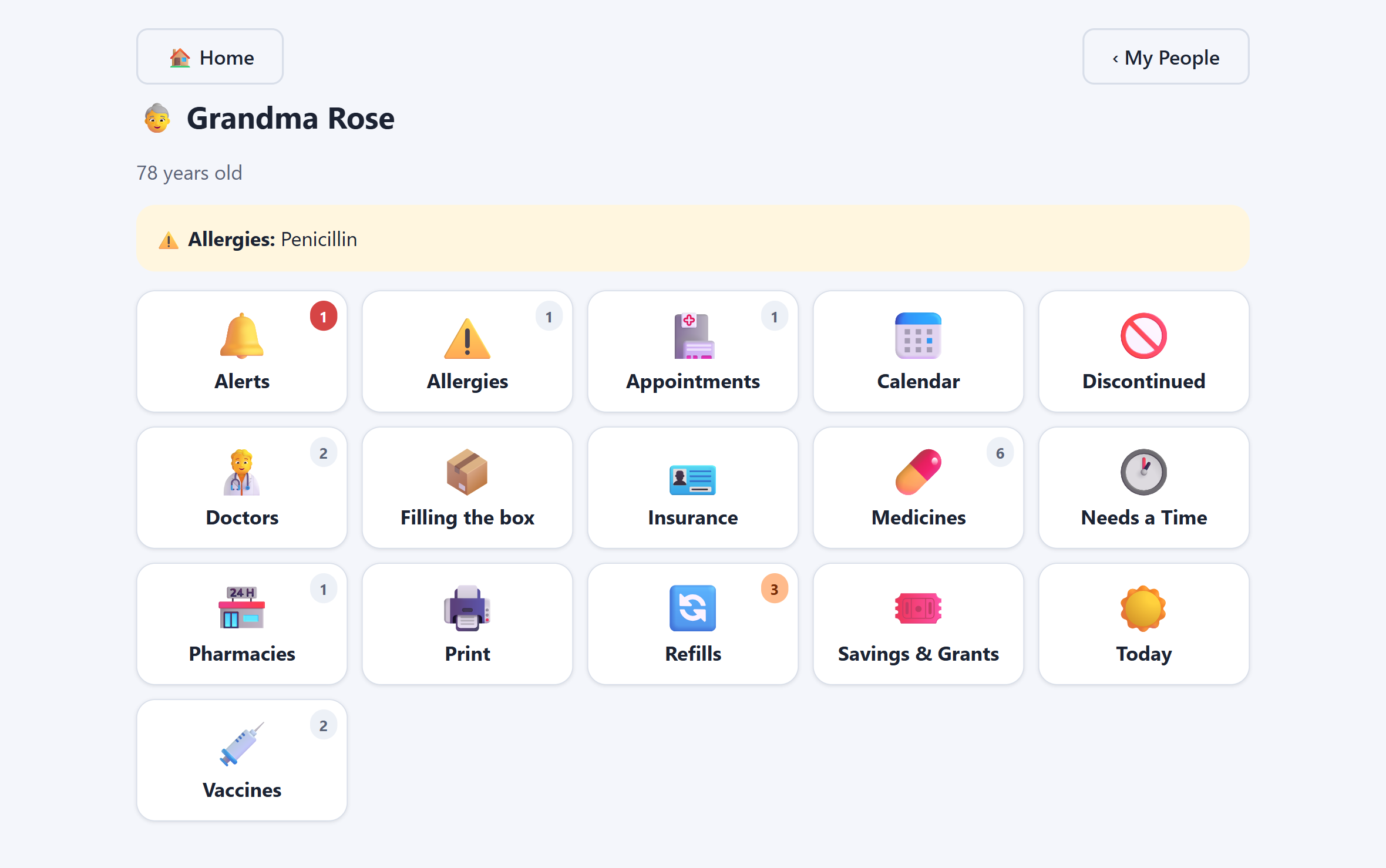
One page each
Each person has a page of tiles: medicines, refills, doctors, allergies, insurance and more. Most tiles show how many things are on them.
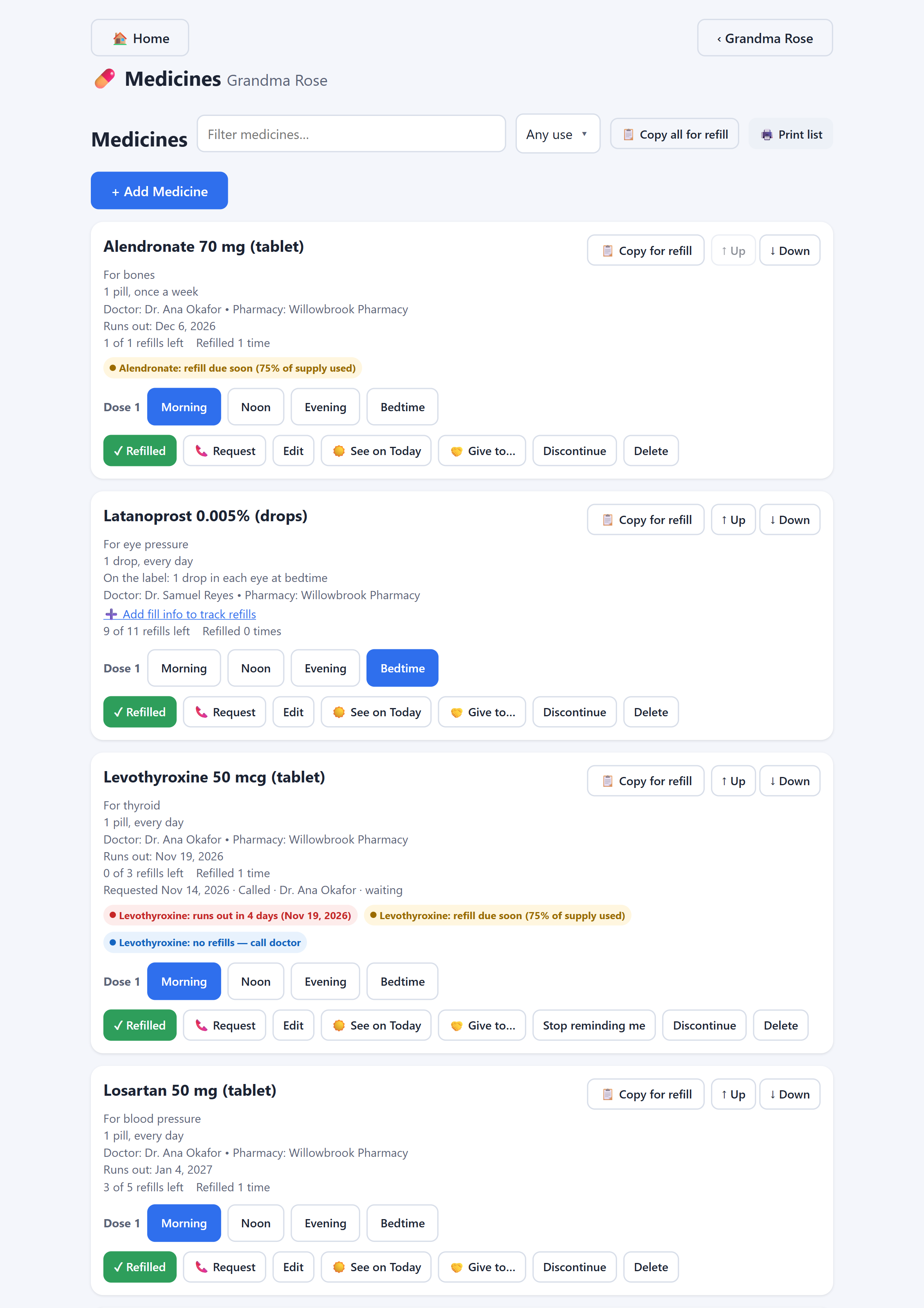
Medicines
Each medicine has its own card: the dose, how often it is taken, what it's for, the doctor who ordered it and the pharmacy that fills it.
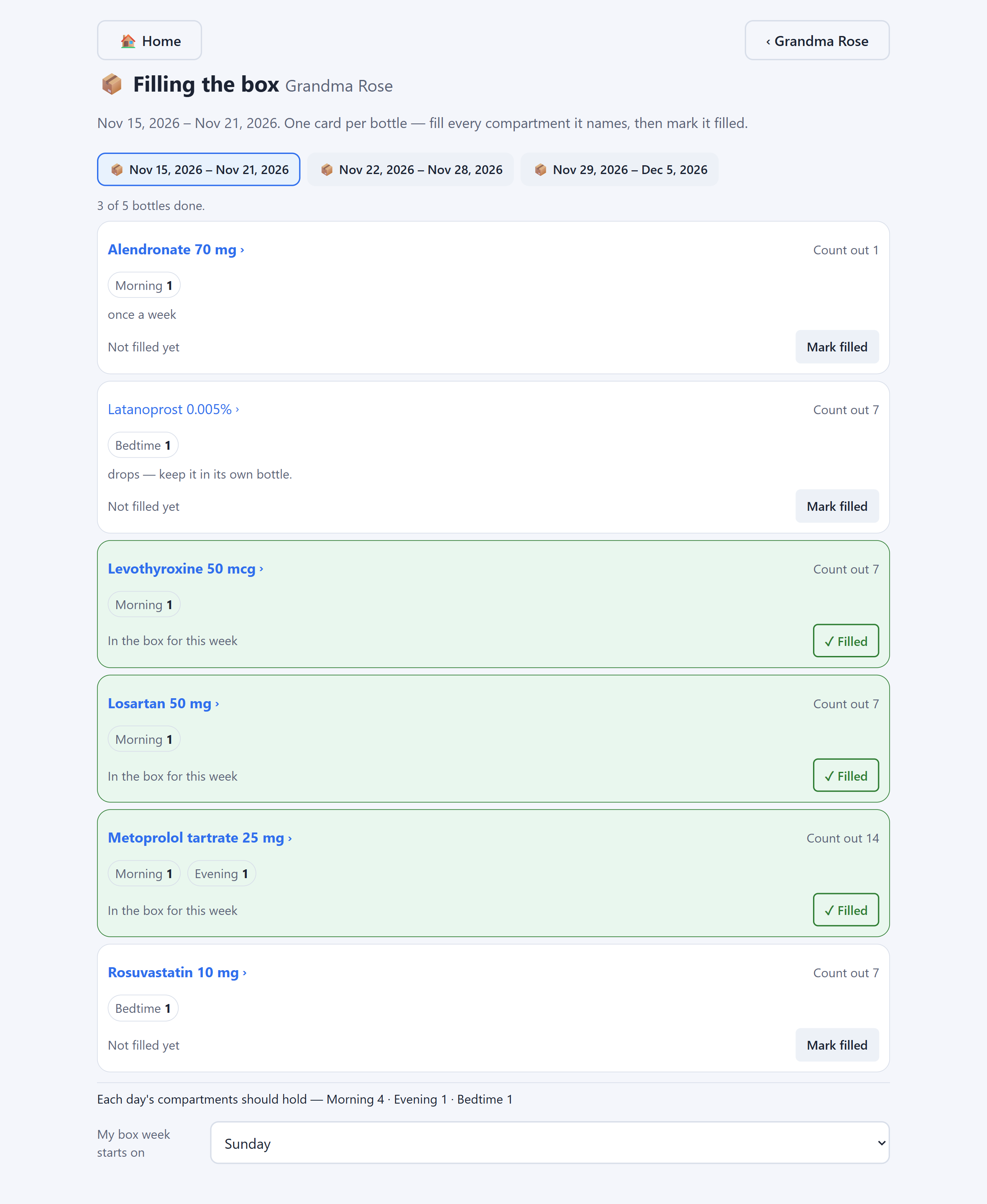
Filling the box
A page made for the day you fill the pill box. It shows what goes in each compartment, and you tick each bottle as you finish it.
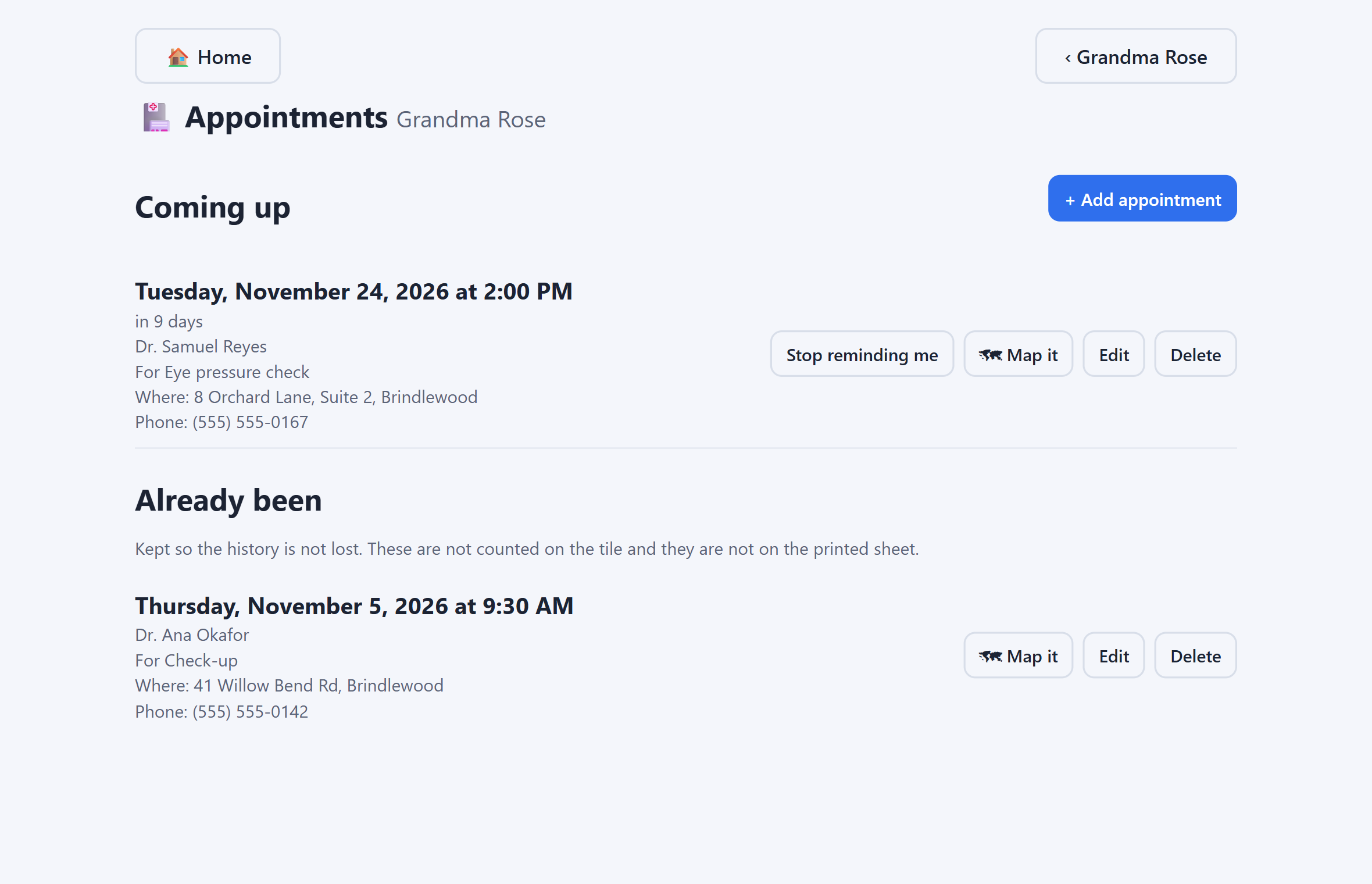
Appointments
Write down each appointment, when it is and where.
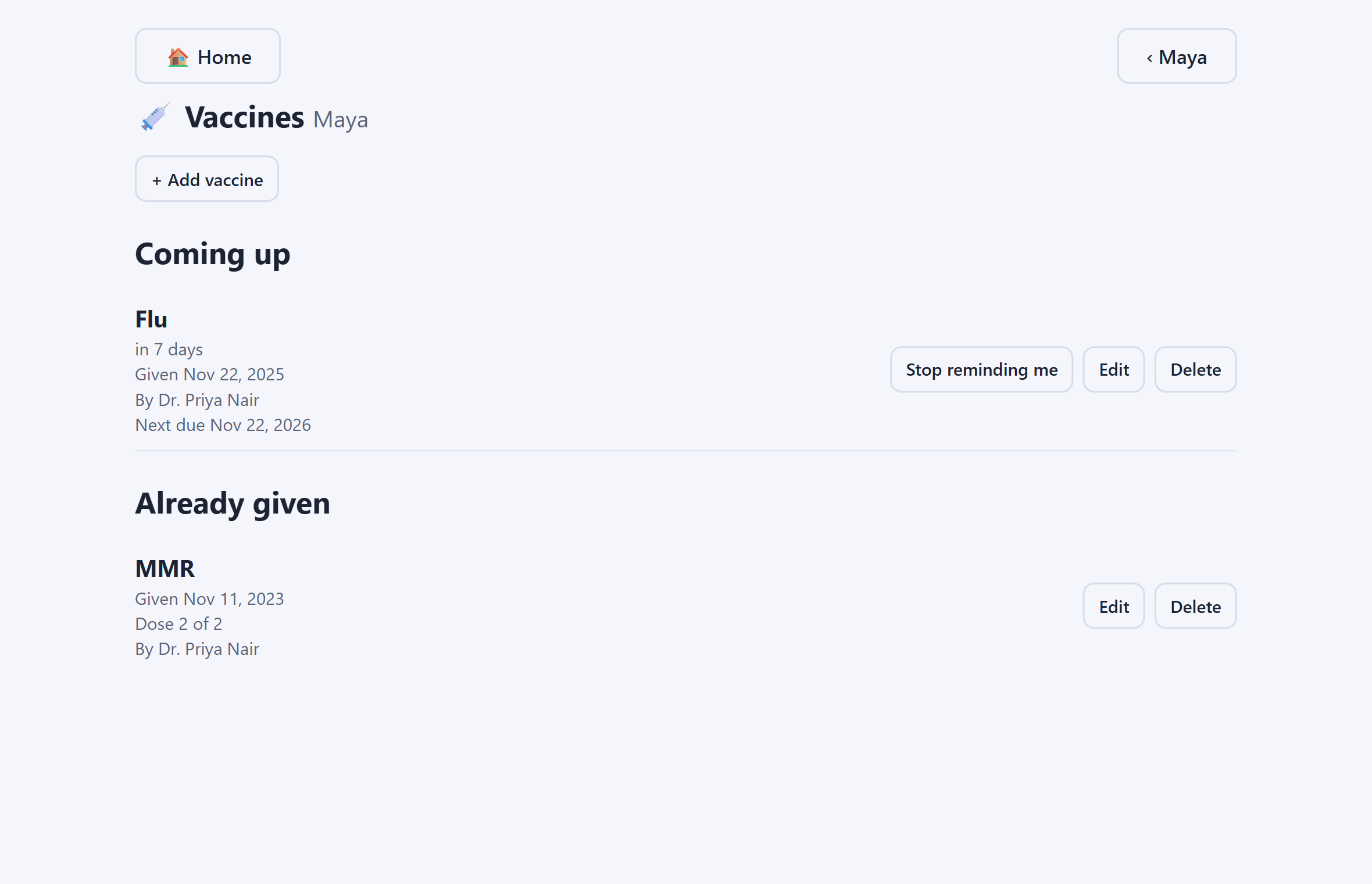
Vaccines
Write down each vaccine: when it was given, who gave it and where. Type the day the next one is due, and it shows when that day is near.
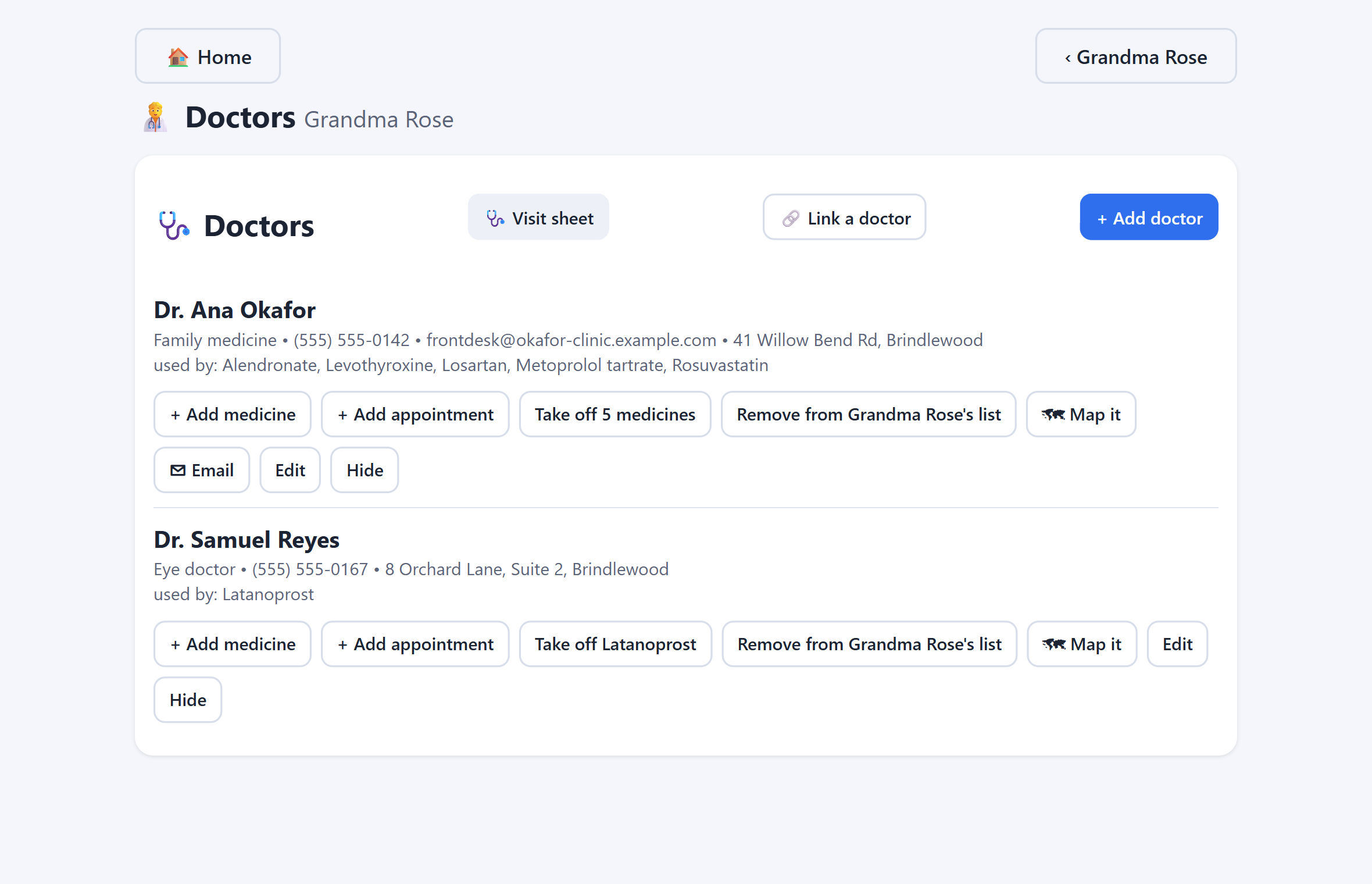
Who to call
Keep the name, number and address of every doctor and pharmacy. Press Call to ring them, Map it to see the address on a map, or Email to write to a doctor.
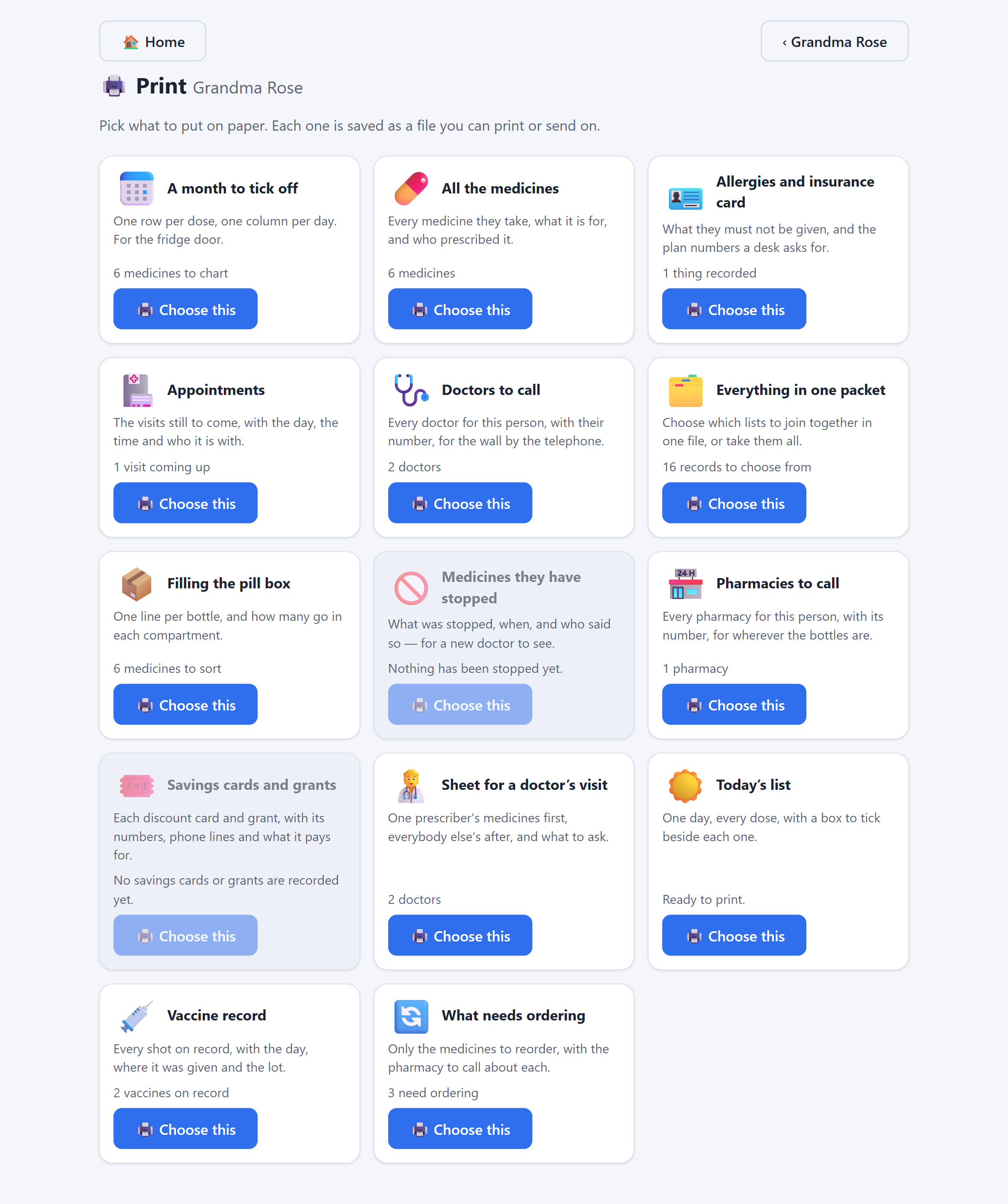
On paper
13 sheets for each person: today's list, all their medicines, what needs ordering, a month to tick off, the pill box, a sheet for a doctor's visit and more. Or put several into one packet.
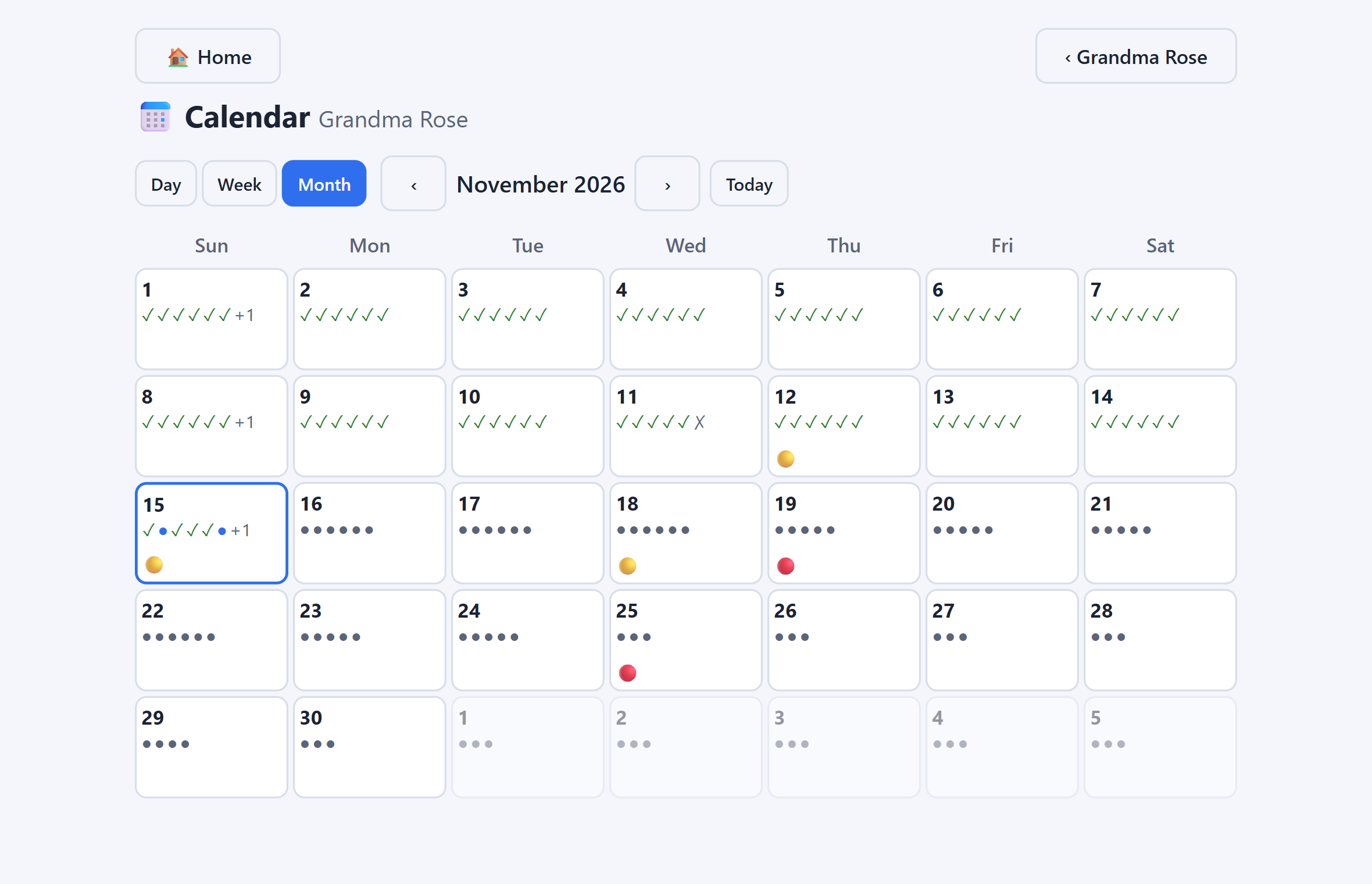
Calendar
A calendar shows which days each dose was taken or skipped, so you can see how the month went at a glance.
And there is more
Turn on reminders and TenderDose shows a note in the corner of the screen when a refill, a visit or a vaccine is due.
Save a backup file and keep it somewhere safe. If your computer breaks, open it on the new one.
Lock the app with a PIN so it isn't left open on a shared computer.
Pick the look that's easiest on your eyes.
Keep each person's allergies where everyone can see them.
Keep the details and a picture of the front and back of each card.
Coming
None of these are ready yet, and we won't give them a date until they are. Want to try the online version first? Ask for an invite.
A free account, protected by an authenticator app, so you can use TenderDose in a web browser too.
Turn it on and your computer, your phone and the web all show the same records, travelling locked with a key made from your password — we can't read them. Pick a strong password: it is the lock.
Invite the people who help, each with their own login, and choose who can change things and who can only look.
The same app on your phone, with photos of insurance cards and moving records between your computer and phone over Wi-Fi.
Free. Installs in about a minute. Your records stay on your computer.